Adding Components to Pipelines
Components are the building blocks of your ML pipelines in TangleML. This guide covers the different methods to add components to your pipeline workspace.
Upload component file
Upload a YAML component file directly from your computer to add it to your user components library.
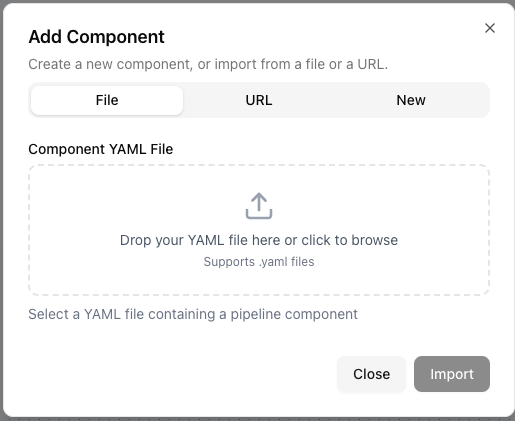
- Click on the File option in the component panel
- Select a YAML component file from your computer
- The component will automatically be added to your User Components folder
Import from URL
Import components from publicly accessible URLs.
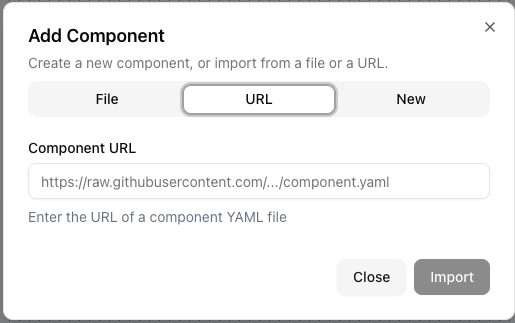
- Select the URL option.
- Enter the publicly accessible URL to the YAML file.
- The browser will automatically download and validate the component.
- If valid, it will be added to your user components library.
This method works great with raw GitHub URLs, allowing you to import components directly from repositories.
In-app component editor
Create and edit Components directly in your browser using the In-App Component Editor:
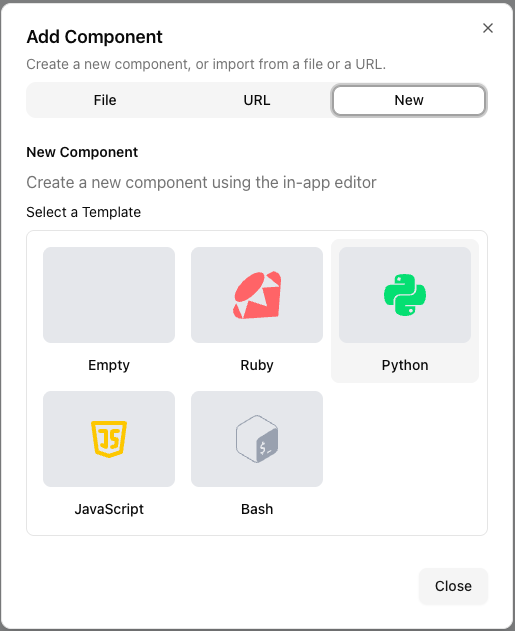
- Click on the New button in the Add component dialog
- Select the component template you want to use
- The editor will open and you can start editing the component
- Once you're done, click the Save button to save the component. The component will be added to your user components library.
Drag and drop YAML files
Simply drag a YAML component file from your file system and drop it directly onto the canvas.
Import from other pipelines
Reuse components from your existing pipelines by importing them into your user components library.
Using standard library components
Access components from the standard library for tasks shared within the TangleML instance:
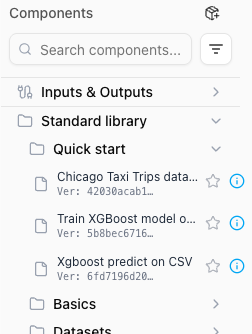
- Expand the Standard Library folder in the left panel, Components section.
- Select the component you want to add.
- Drag the component onto the canvas.
Components in the standard library are documented with implementation details you can inspect by clicking the component info dialog and checking the Implementation tab.
Shared components library
Access components from the shared components library for tasks shared within the TangleML instance.